


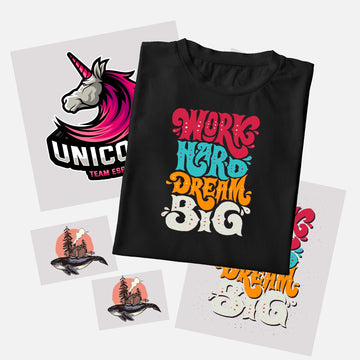


If you've been ordering DTF transfers one design at a time, you're almost certainly paying more than you need to. A gang sheet changes that completely — it lets you pack multiple designs onto a single print sheet, which means you pay for one sheet instead of several individual transfers.
It's how professional decorators, Etsy sellers, and print-on-demand businesses keep their cost per print low while keeping full flexibility on design variety. And once you understand the basics, building one is straightforward.
This guide walks you through everything — what a gang sheet is, how to size and arrange your designs, what file format to use, and how to order. Whether you're building your sheet manually in design software or using an online builder, the same fundamentals apply.
What Is a DTF Gang Sheet?
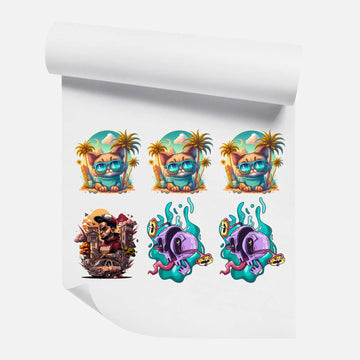
A gang sheet is a single large print file that contains multiple designs arranged side-by-side. Instead of printing each design separately on its own sheet, a gang sheet fills one continuous piece of DTF film with as many designs as will fit — maximizing every square inch of printable area.
The name comes from traditional print production, where "ganging" jobs together on a single press run reduces setup costs and waste. The same logic applies to DTF: since the film is priced by the sheet (or linear inch), the more designs you fit on a single sheet, the lower your cost per design.
Gang sheets are especially useful for sellers running multiple SKUs, decorators fulfilling mixed orders, and anyone who needs a variety of sizes or designs in one go. You can mix a 10-inch back print, a 3-inch left-chest design, and a 2-inch sleeve patch all on the same sheet. At DTF Print, you can build your gang sheet online using our interactive builder, or upload a ready-to-print file if you prefer to build it yourself in Photoshop, Canva, or another tool.
What You Need Before You Start
Before building your gang sheet, get these things sorted:
• Your artwork files: PNG format with a transparent background is the standard for DTF. Transparent backgrounds let the printer know where the design ends — critical for clean edges on the final transfer. JPEG backgrounds will print as a white rectangle around your design, which is rarely what you want.
• Resolution: 300 DPI minimum. Lower resolution files look sharp on screen but print blurry. If your artwork is 72 DPI from a website or social media export, re-export it at 300 DPI from the original source before uploading.
• Design dimensions: Know the finished print size for each design before you start arranging. A left-chest logo typically sits at 3-4 inches wide. A full back print usually runs 10-12 inches wide. Sleeve designs are commonly 2-3 inches.
• Sheet size: Common gang sheet widths are 22 inches wide (standard DTF roll width). Length is flexible — you pay per linear inch, so the taller you make your sheet, the more you fit, but the more it costs.
Get these four things right and the rest of the process is just arrangement.
How to Build a DTF Gang Sheet: Step-by-Step
Step 1: Set your canvas size
Open your design software (Photoshop, Illustrator, Canva, or a similar tool) and create a new canvas. Set the width to 22 inches and the height to whatever length you need — start with 22x22 inches as a common starting point if you're unsure. Set resolution to 300 DPI. The background should be transparent or white — it doesn't matter as long as your individual design files have transparent backgrounds.
Step 2: Place your designs
Import each PNG design file onto the canvas. Resize each one to its intended print size — if a design should print at 10 inches wide, make it 10 inches wide on the canvas at 300 DPI. Arrange the designs as efficiently as possible, like a puzzle.
A few layout principles that save space and money:
• Rotate designs when it helps them nest together more tightly — a tall narrow design can often tuck into the space beside a wide short design
• Leave at least 0.25 inches between designs and from the edge of the sheet — this gives the cutter clean separation and avoids edge bleed
• Group similar heights together in rows to avoid wasting tall columns of blank space
• Fill gaps with small designs like logos, patches, or pocket prints rather than leaving blank film
The goal is to minimize blank space. Every unused inch is money you've paid for but not used.
Step 3: Check your design quality
Before exporting, zoom into each design at 100% view and check:
• No white halos or fringing around transparent edges (a sign the file wasn't properly exported from the original source)
• Text is sharp and legible at the intended print size — small text below about 0.25 inches tall often becomes unreadable once printed
• Colors look correct — DTF printing is CMYK-based, so very vivid RGB colors (especially neon greens and electric blues) may print slightly differently than they appear on screen
• Designs are at the right size — double-check by looking at the ruler or canvas measurements, not just how big they look visually on screen
A quick check here saves a reprint later.
Step 4: Export your file
Export the finished gang sheet as a high-quality PNG or PDF at 300 DPI. PNG is generally preferred for DTF because it preserves transparency data. If your print service accepts PDFs, make sure it's exported at print resolution — not screen resolution.
Name your file clearly (e.g., "GangSheet_22x30_OrderName.png") so it's easy to reference when you place your order or need to reorder the same layout later.
Step 5: Upload and order
Upload your file to your DTF print supplier and select the sheet size that matches your canvas dimensions. At DTF Print, you can upload your ready-to-print gang sheet directly — just select the sheet width, enter the height, and upload your PNG. Turnaround is fast, with same-day shipping available on orders placed before the daily cutoff.
Don't Want to Build It Yourself? Use the Online Builder
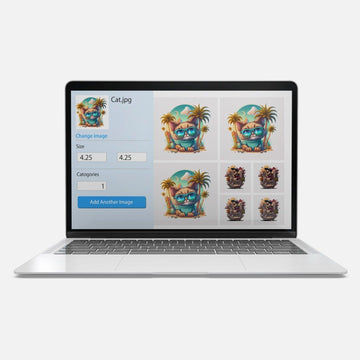
If building a gang sheet in Photoshop or Canva isn't your thing, there's an easier option. The DTF Gang Sheet Online Builder lets you upload your designs, drag them onto a virtual sheet, resize and arrange them visually, and submit — all in one place, no external software needed.
It's built specifically for DTF ordering, so it automatically handles the correct resolution and file format requirements. If you're new to gang sheets or just want to move faster, the builder is the most practical starting point.
Common Gang Sheet Mistakes to Avoid
• Using low-resolution files: 72 DPI artwork looks sharp on screen but prints blurry. Always use 300 DPI.
• No spacing between designs: Designs that touch or overlap are difficult to cut apart cleanly. Keep at least 0.25 inches of space between every design.
• Sizing by eye instead of by measurement: "Looks about right" on screen is not the same as the correct print size. Always verify dimensions numerically in your design tool.
• Leaving large blank sections: You're paying for the full sheet regardless. Fill empty areas with additional designs, smaller artwork, or future-use logos.
• Forgetting to check the artwork FAQ: Different print shops have specific requirements around bleed, color profiles, and file types. Always check before submitting.
If you're unsure about artwork requirements, our FAQ about artwork and sizing covers the most common questions, or watch the video tutorials for a visual walkthrough of the ordering process.
Frequently Asked Questions About DTF Gang Sheets
What size should a DTF gang sheet be?
Standard DTF rolls are 22 inches wide, so most gang sheets are 22 inches wide. Length varies based on how many designs you need to fit. Common lengths are 22, 36, 48, and 60 inches, but you can typically specify any custom length when ordering.
What file format should I use for a DTF gang sheet?
PNG at 300 DPI with a transparent or white background is the standard. Each individual design on the sheet should have a transparent background so there are no white boxes around them. PDF at print resolution is also accepted by most DTF suppliers.
Can I mix different designs on one gang sheet?
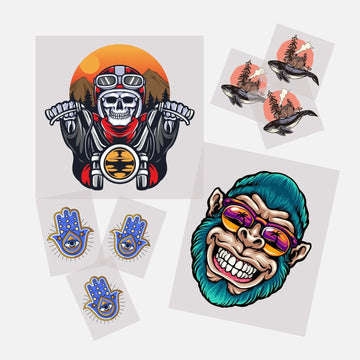
Yes — that's the entire point of a gang sheet. You can mix any combination of designs, sizes, and quantities on the same sheet. A back print, a chest logo, a sleeve patch, and a hat design can all share one sheet, as long as everything is sized correctly and spaced properly.
Is there a minimum order for DTF gang sheets?
No. At DTF Print, there's no minimum order on gang sheets. You can order a single sheet with one design or fifty. The DTF Gang Sheet Online Builder starts at a single sheet, and pricing scales with sheet size rather than quantity.
Ready to Build Your First Gang Sheet?
Gang sheets are one of the simplest ways to cut your per-print cost without sacrificing design variety or order flexibility. Once you've built your first one, the process becomes second nature — most decorators have a template set up and can populate a new sheet in minutes.
Start with our online gang sheet builder for the fastest route from design to order, or upload your own ready-to-print file if you prefer to build it in your own software. Want to see the print quality first? Grab a free DTF sample pack before you commit to a larger order.


